Building a smarter document editor for home service businesses
Rebuilding Notes as Documents, so contractors can create reports using information already in Feldy.
Notes worked when customers needed to write something down. The problem was that they were using it to create reports. Reports needed more than text.
- Roles
- Product design, UX, Interaction design, Design leadership, Web design, Mobile design direction
Design preview
The screens shown in this case study are not the final product designs. They’ll be replaced once I receive approval to share the final designs.
Reports had outgrown Notes
Notes
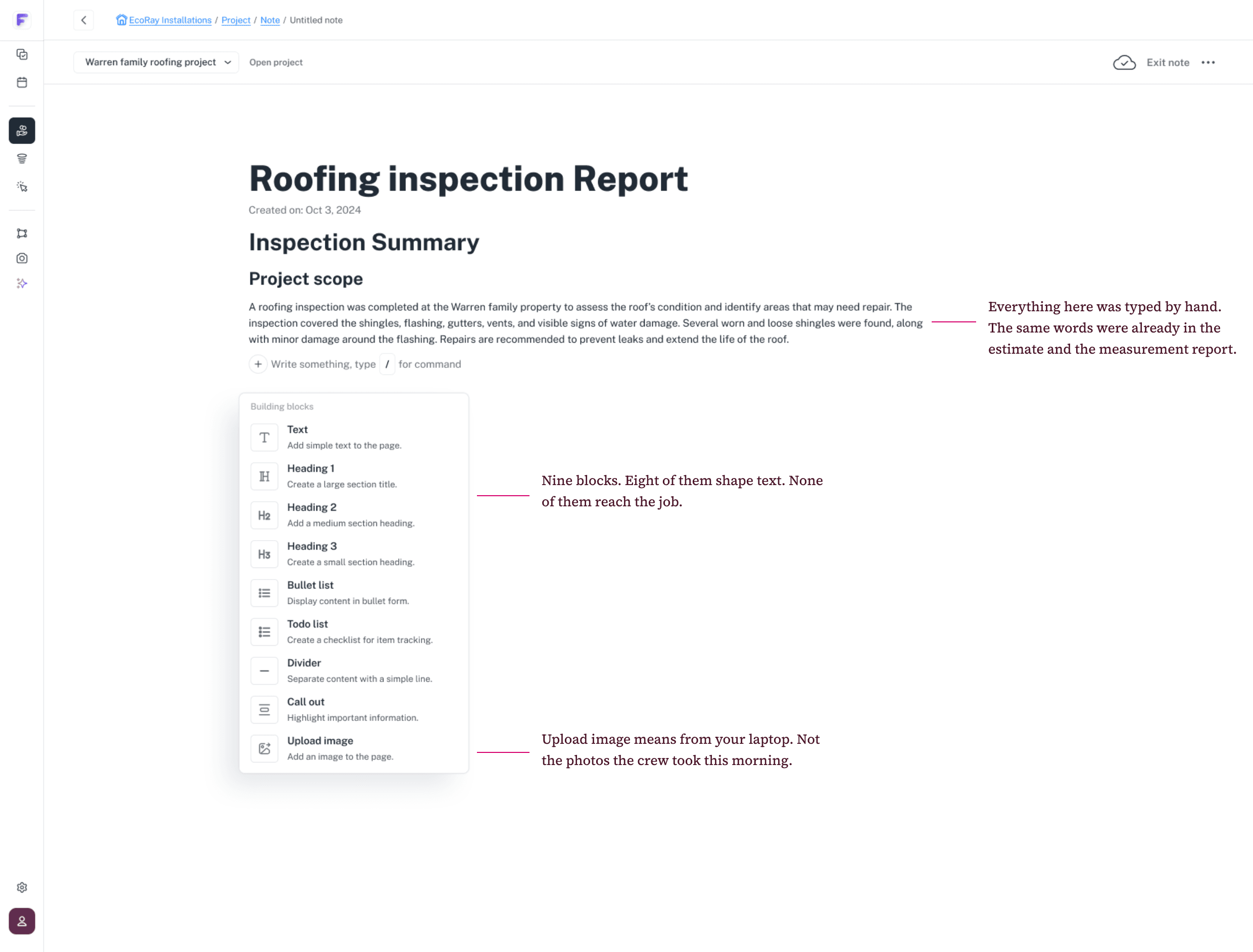
Notes was a plain text editor inside a deal, on desktop only. Customers were using it for inspection reports and other project documents, and it couldn’t keep up. Some wrote their reports in other tools instead.
What I found
I first noticed it in our UX heatmaps: people kept leaving Notes for other parts of Feldy and coming back. Transcripts from my manager’s customer calls explained why. People were copying estimates, measurements and deal details in by hand.
I took this to management, and we made it a priority.
Designing web, guiding mobile
I was the product design lead. I studied report examples customers had shared and how different trades put reports together, then proposed what Documents should do. My manager approved the direction.
I designed the web experience. Another designer worked on mobile in parallel, and I guided that work: assigning flows, reviewing designs and setting the behaviour both platforms share.
Bringing the job’s details into the document
The estimate already has the prices. The measurement has the areas. The deal has the customer’s name and address. Typing them again is slow, and it’s where mistakes happen.
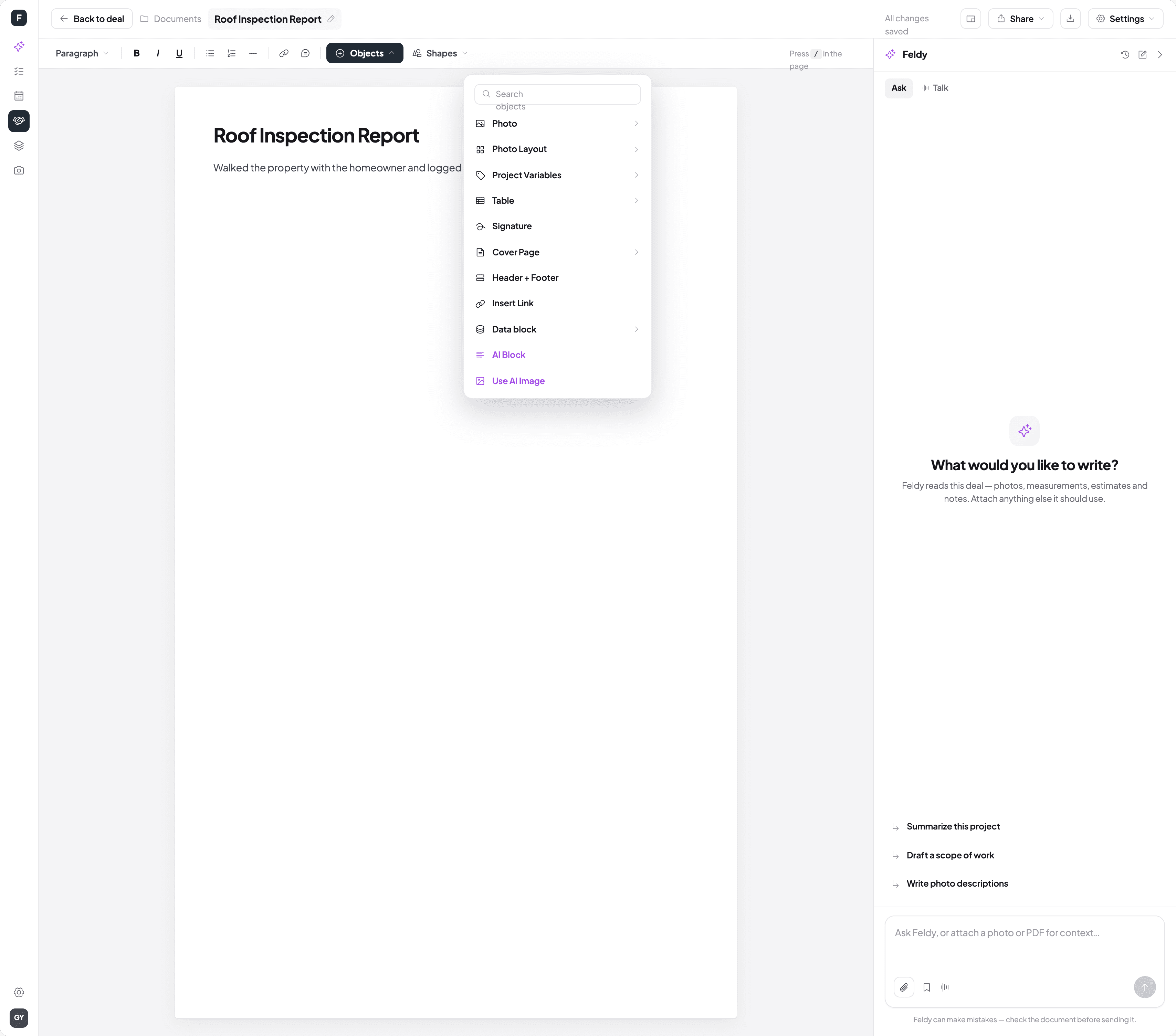
So I proposed two ways to bring that information in. Variables drop deal details into the text. Data blocks bring in a whole estimate or measurement, and stay in sync with it: if the numbers change, the document does too.
The hard part was picking the right record. Jobs often have several estimates with near-identical names, and the wrong one puts the wrong price in front of a customer. So each option shows what sets it apart, like its total, pricing option or measurement date.
A simpler way to create a document
Three ways to start a document
I also proposed a simpler start: a blank page, a saved template, or an AI walkthrough that turns a recorded walkthrough into a draft.
What we dropped
We dropped a fourth option, generating a document from an estimate. It forced a decision about estimates before people knew what they were writing.
AI suggests, you decide what goes in
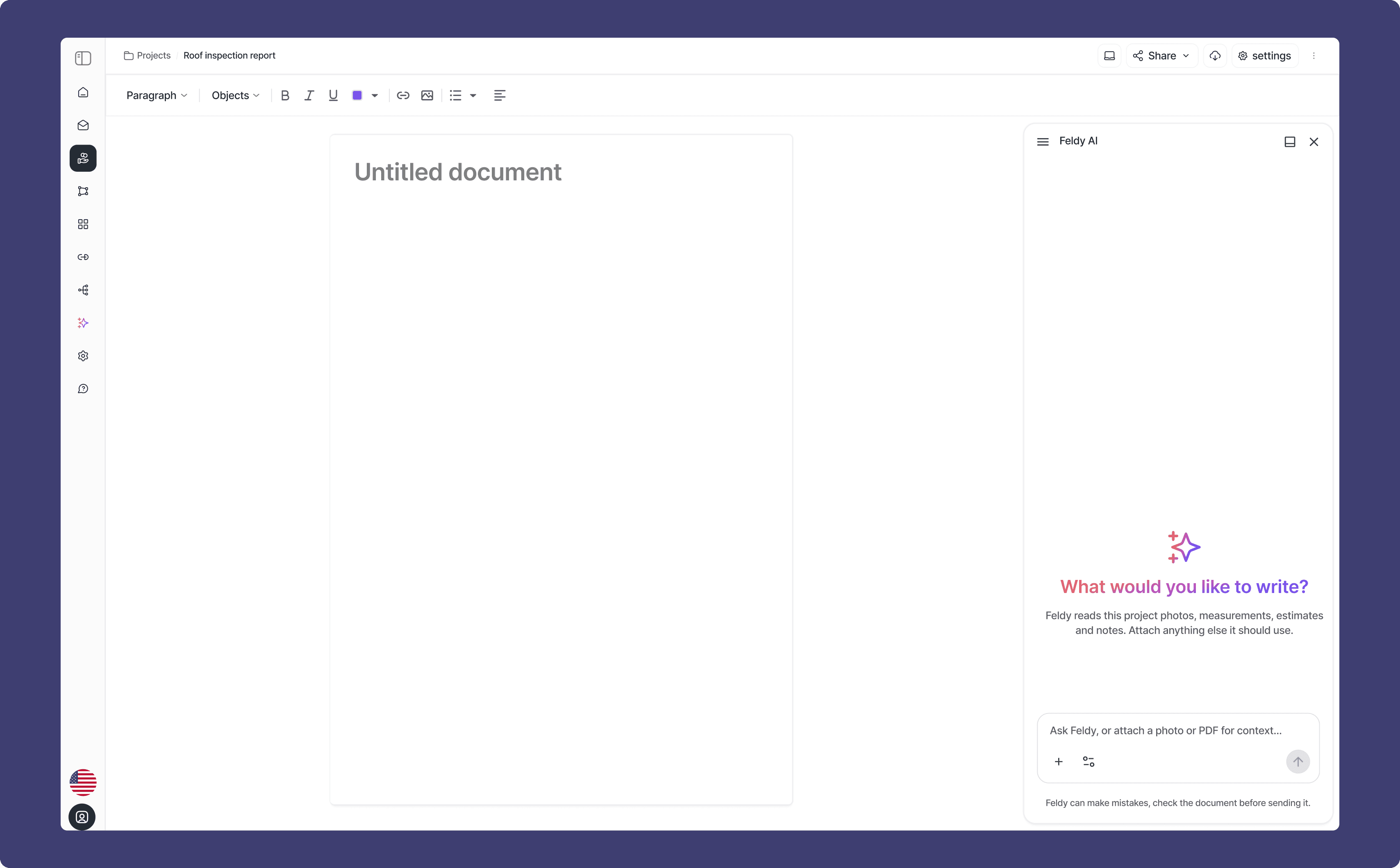
As a team, we decided Feldy AI should sit beside the document, not in a window you open and close.
Answers stay in the panel until you insert them. Nobody wants a draft landing in a proposal they’re about to send.
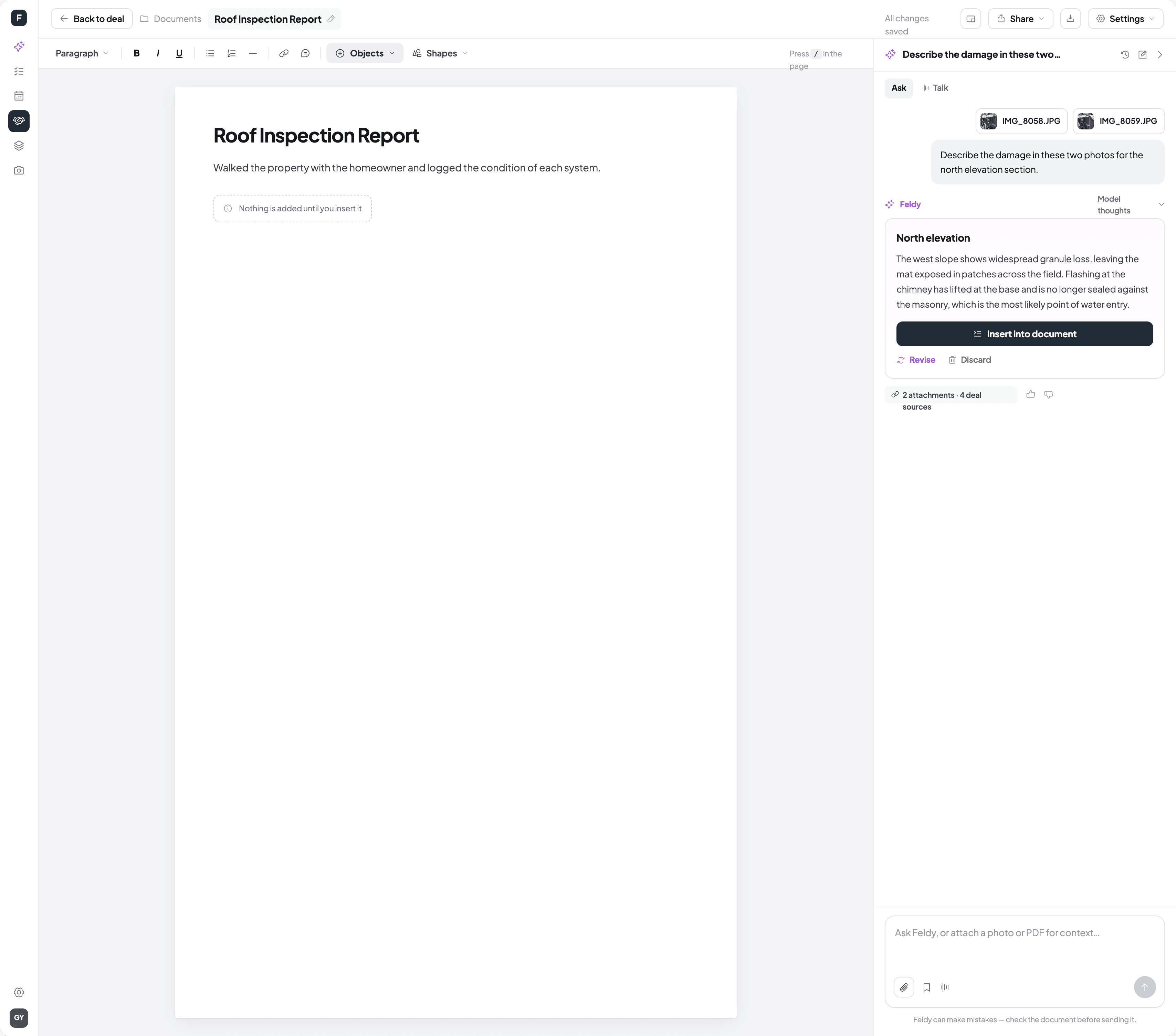
One editor for every trade, on web and mobile
Documents replaced Notes on web and brought it to mobile for the first time. Contractors build structured reports inside a job, pull in estimates, measurements and deal details, and get help from AI as they write.
One editor, for roofers, painters, window fitters and other trades.
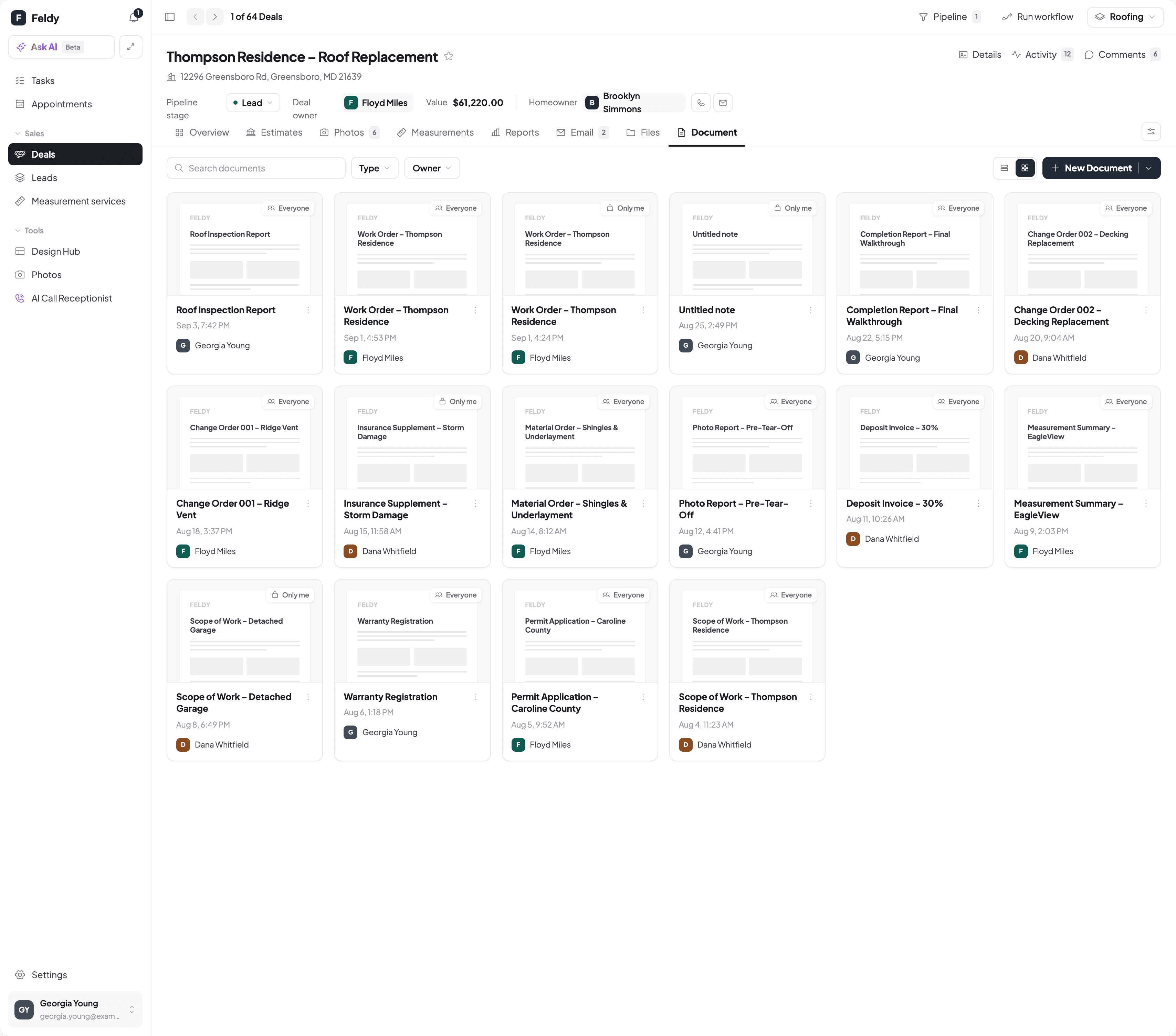
Behaviour shows where. Feedback shows why.
Watching what people do only shows part of a problem. The heatmaps showed me where people struggled; the customer calls explained why.
And sometimes the answer isn’t improving a feature, but rethinking how it fits the way people actually work.
More projects
Feldy (formerly Aether), YC24 (Feldy’s Y Combinator batch)
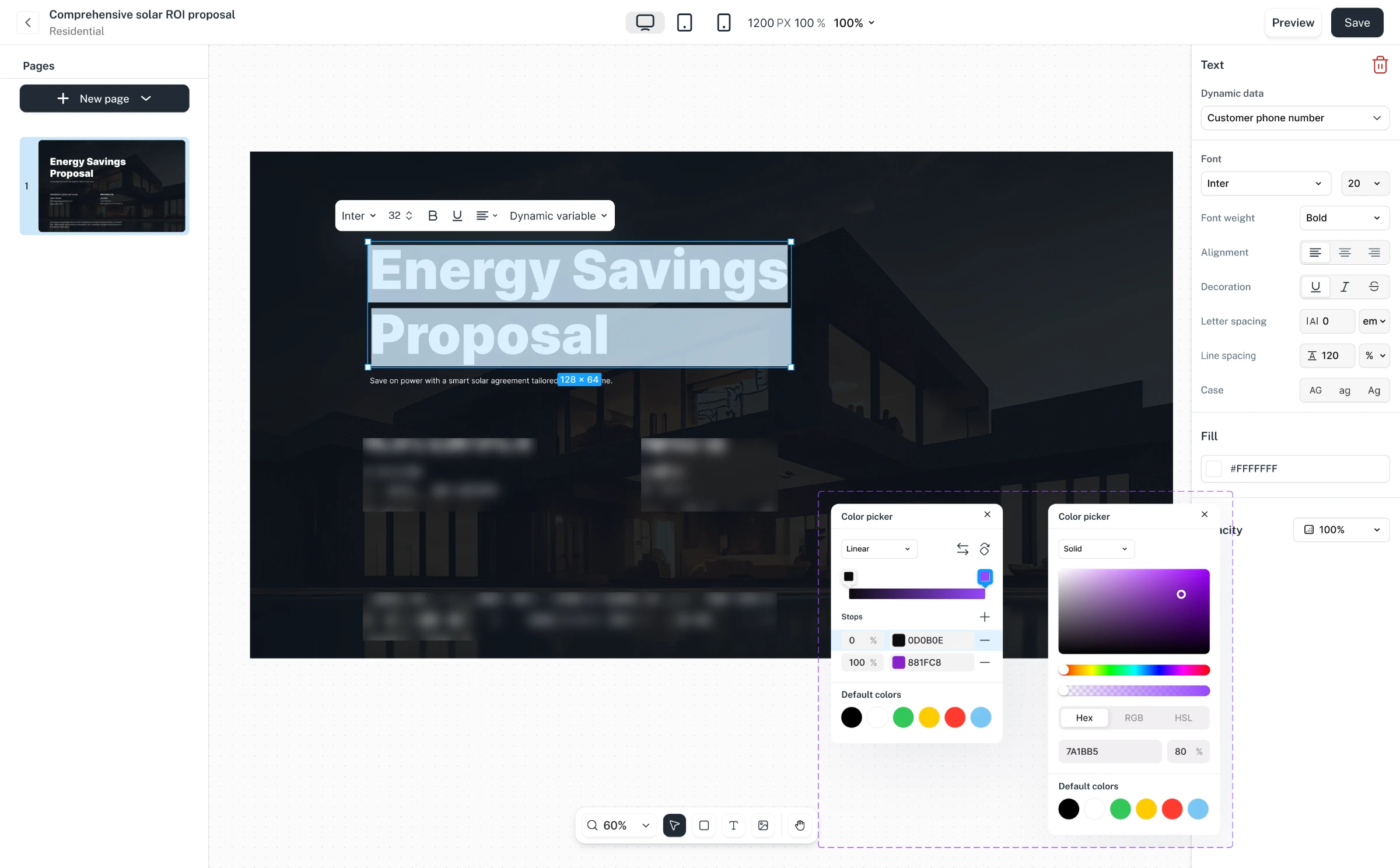
Proposal Studio: Building branded proposals with dynamic data
Designing a flexible proposal studio for solar, roofing, and general trade installers without losing structure.
Feldy (formerly Aether), YC24 (Feldy’s Y Combinator batch)
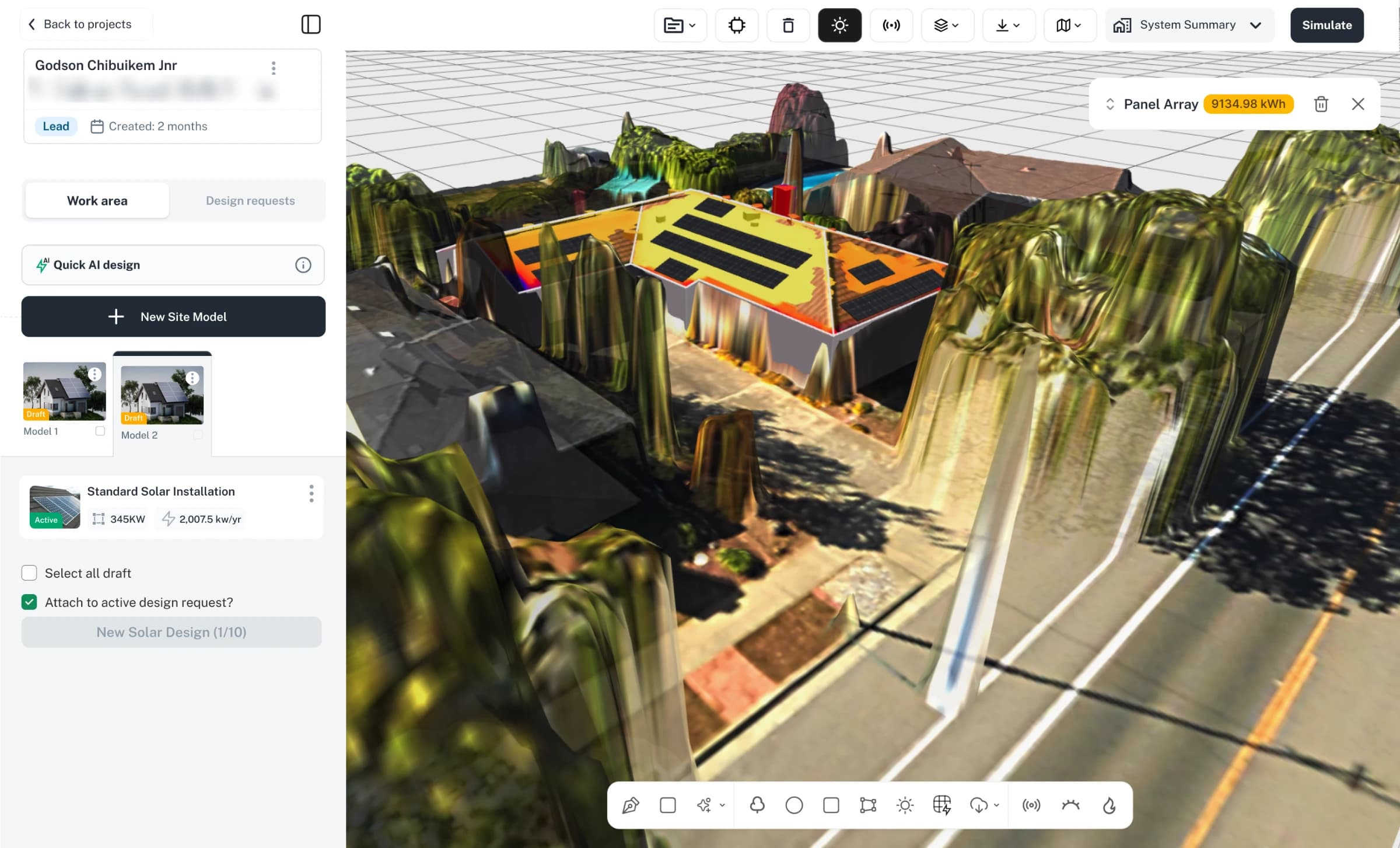
3D CAD Studio: Building a 3D design workspace for contractors
Case study in progressDesigning the core tool installers use to build site models for solar and roofing projects.
Feldy (formerly Aether), YC24 (Feldy’s Y Combinator batch)
Building Feldy’s Component Library in Storybook for frontend
In progressBuilding a reusable design system to bring more consistency to Feldy's AI-assisted design workflow.